

Deploy to Netlify with GitHub Actions

I write about building & launching SaaS products, developer education, and web security.
I'm a former full-stack developer in the IoT sector and systems engineer.
Some time ago, I decided to put a tools directory in the source repo for my website. I didn’t really want to let Netlify redeploy my site each time I modified a script in there, and I already knew how to deploy to Netlify manually, so I figure why not let GitHub Actions handle it for me? I could write my own workflows to publish on my own terms and have much more control over the process. Here’s how it works.
Create PAT and get the Site ID
Before you can build a workflow, you’ll need some info from Netlify. The first thing is a personal access token that is used to authenticate with the service. To get this, log into Netlify, click your profile in the upper right and go to User settings.
 Next go to Settings, then Applications. Click New access token.
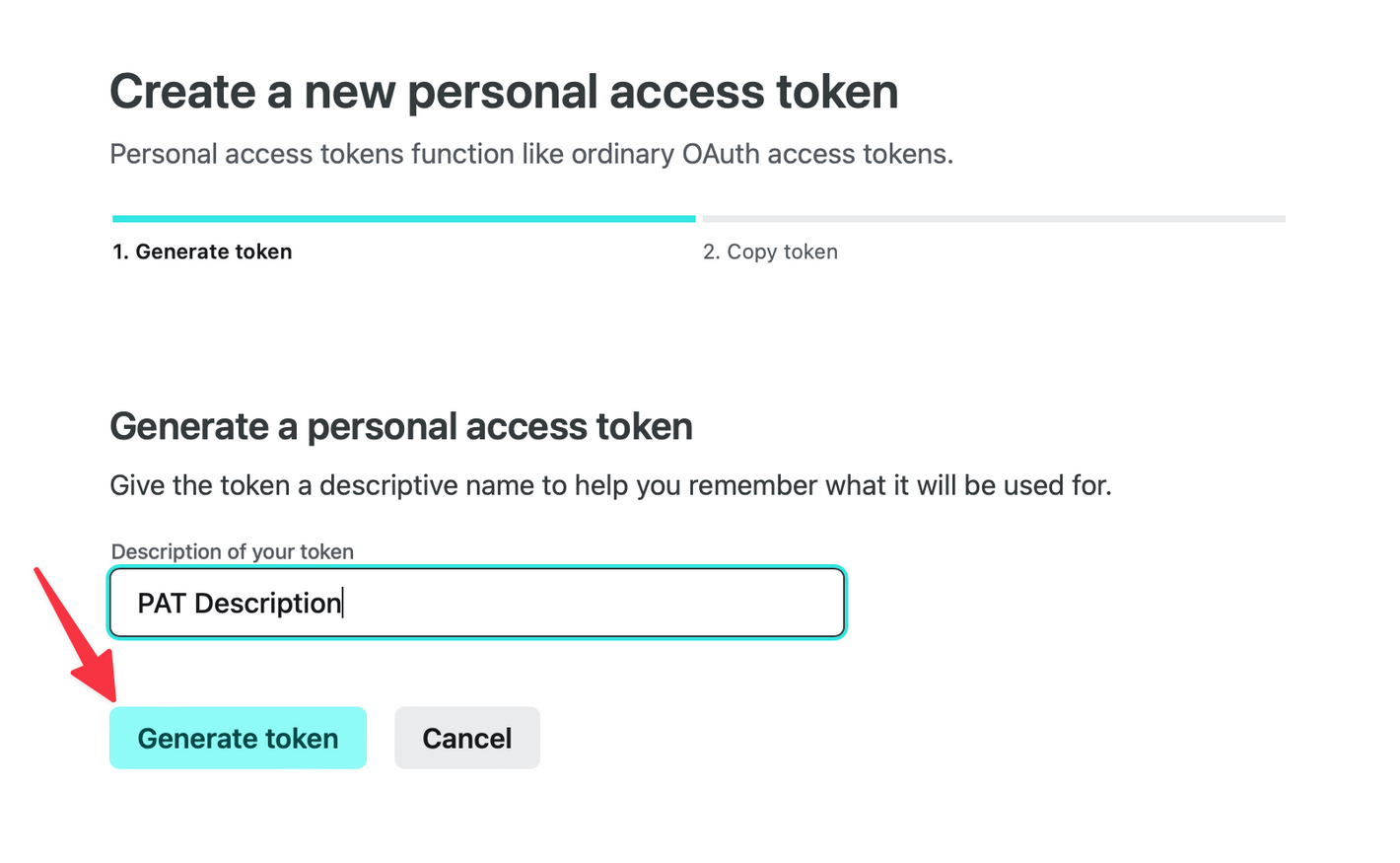
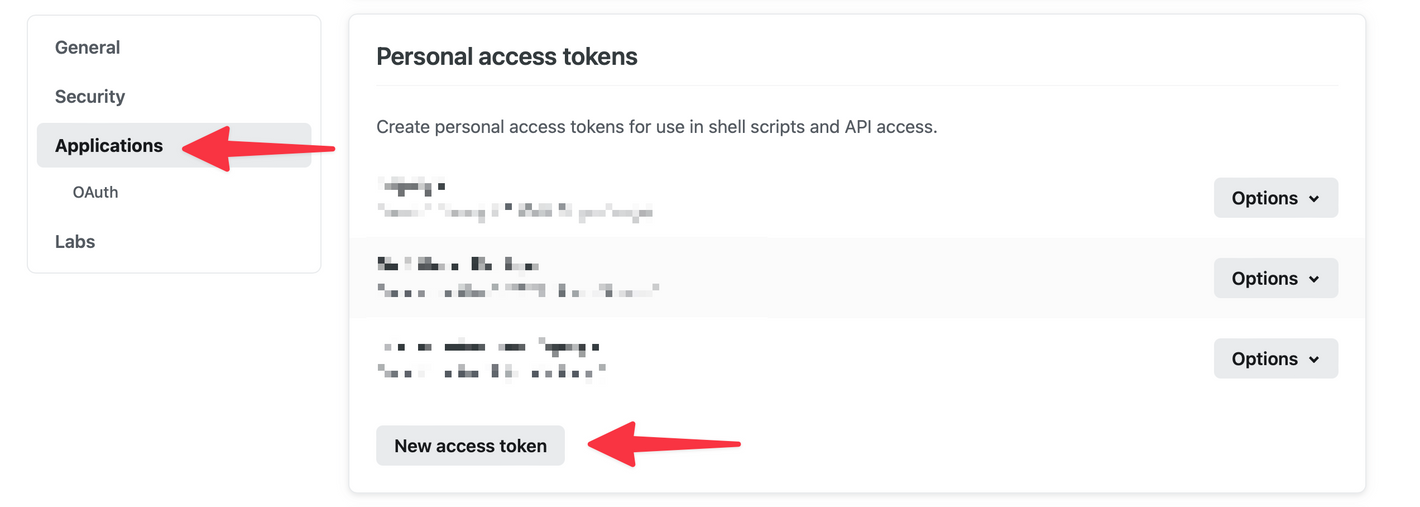 Finally, give your token a name and click Generate token. You’ll be presented with the token. Copy it before you leave this screen as you wont be able to see it again.
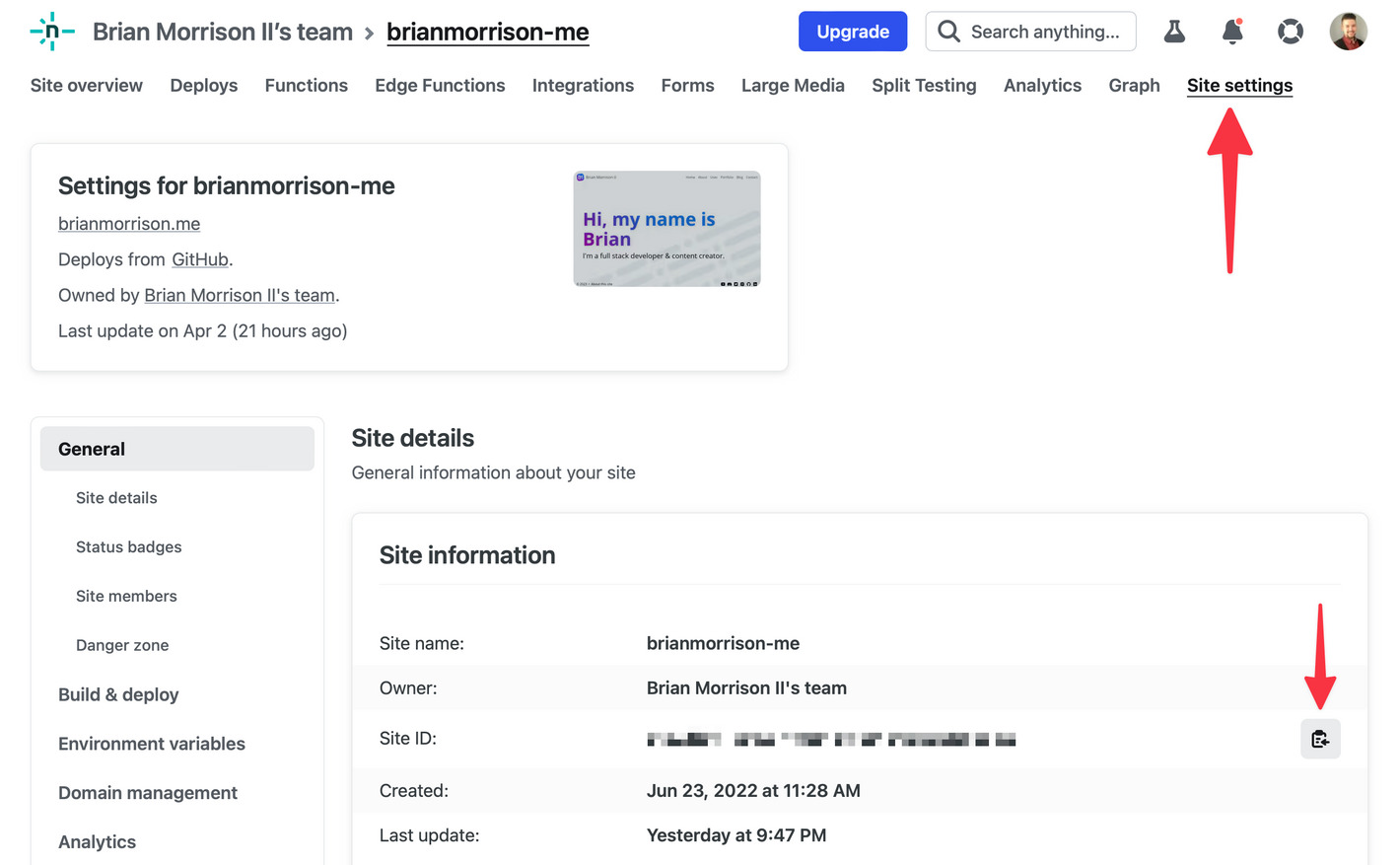
 Next you’ll need to grab the Site ID of the site you want to deploy. This assumes you already have a site configured. To get it, open the site and find the Site settings tab. The Site ID will be on the first screen in the Site information section. Copy this value for later.
Setup actions secrets
Next up, we need to add the two values above into the repositories Action secrets. This prevents you from having to save them into the code of the repo. To do this, open the repo in GitHub. Then click Settings, then Secrets and variables, then Actions.
In that view, click New repository secret.
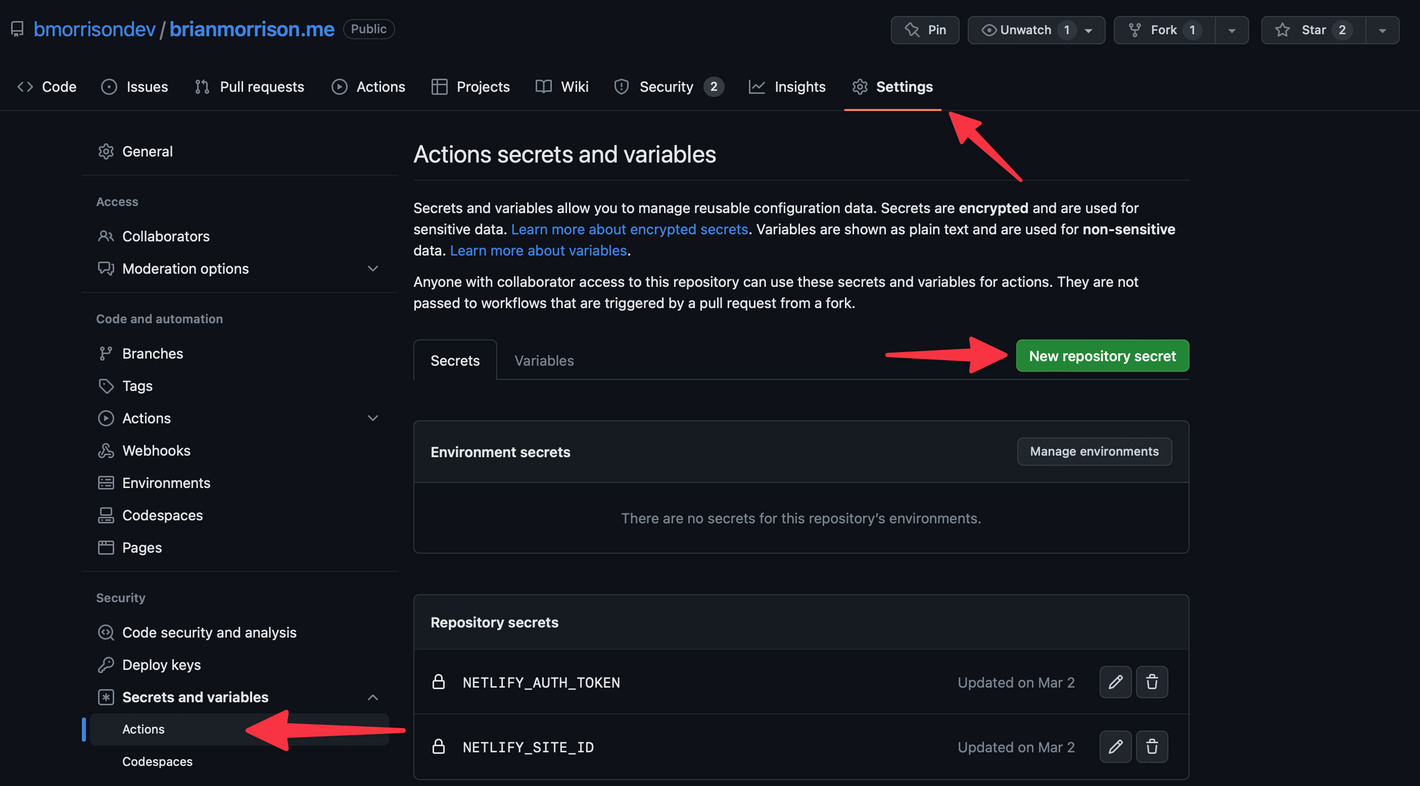 You’ll be adding two secrets:
NETLIFY_AUTH_TOKENThe personal access token you created earlier.NETLIFY_SITE_IDThe Site ID from earlier.Build the action
To create the action, create a new file in your repo named.github/workflows/deploy-prod.yamland add the following contents:name: Deploy prod on: workflow_dispatch: push: branches: - main jobs: deploy: runs-on: ubuntu-latest steps: - uses: actions/checkout@v3 - uses: actions/setup-node@v3 with: node-version: 18 - name: Install Netlify CLI run: npm install -g netlify-cli - name: Install deps run: npm install - name: Deploy run: npm run deploy:prod env: NETLIFY_AUTH_TOKEN: ${{ secrets.NETLIFY_AUTH_TOKEN }} NETLIFY_SITE_ID: ${{ secrets.NETLIFY_SITE_ID }}mainbranch of your repo. This will occur on standard pushes or when pull requests are merged if you prefer that flow. You can also configure a second action to publish to an alternate branch. For instance I also have.github/workflows/deploy-dev.yamlto deploy changes made to thedevbranch into Netlify branch URL. This allows me to test my changes before I merge changes into the production branch:name: Deploy dev on: workflow_dispatch: push: branches: - dev jobs: deploy: runs-on: ubuntu-latest steps: - uses: actions/checkout@v3 - uses: actions/setup-node@v3 with: node-version: 18 - name: Install Netlify CLI run: npm install -g netlify-cli - name: Install deps run: npm install - name: Build run: netlify build env: NETLIFY_AUTH_TOKEN: ${{ secrets.NETLIFY_AUTH_TOKEN }} NETLIFY_SITE_ID: ${{ secrets.NETLIFY_SITE_ID }} - name: Deploy run: netlify deploy --alias dev # this adds a 'dev--' prefix to my URL for testing env: NETLIFY_AUTH_TOKEN: ${{ secrets.NETLIFY_AUTH_TOKEN }} NETLIFY_SITE_ID: ${{ secrets.NETLIFY_SITE_ID }}--aliasset on the Deploy step.


